
A 2026 Guide to Video Editing for Modern Creators
By Alex@PC╺
- PS4
- PS5
- XBox One
- Series X
- PC
I still remember my first attempt at editing a video. It took me four hours to cut a three-minute clip, and honestly, it still looked a bit rough round the edges. Years on, I’ve picked up a handful of video editing techniques that would’ve saved me most of that time, and I still use them on every single project.
There’s a lot of noise out there about editing “hacks” and secret software tricks. Truth is, most of it comes down to a few solid habits. Once you’ve got those sorted, everything else is just practice.
Why bother learning to edit properly?
Here’s the thing — people don’t watch videos, they watch the first three seconds of a video and decide whether to stay. If your pacing drags or the audio’s off, they’re gone before you’ve even made your point. That’s not being harsh, that’s just how people scroll these days.
So whether you’re making videos for a small business page, a YouTube channel you’re trying to grow, or just clips for friends and family, a bit of editing know-how goes a long way.
The techniques that actually make a difference
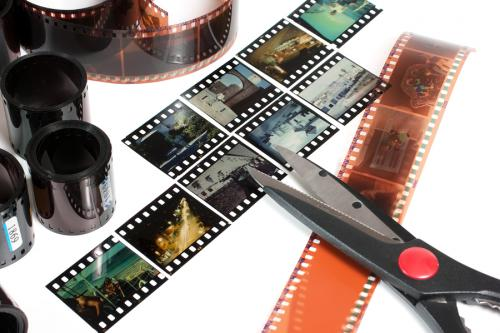
Cut the boring bits, all of them
This sounds obvious, but so many people skip it. If a moment doesn’t add anything, cut it out. Even the pauses between sentences when someone’s thinking of what to say next — trim those down. Your video will feel twice as snappy for it.
J-cuts and L-cuts (worth learning, I promise)
These two get thrown around a lot in editing circles, and for good reason. A J-cut is when you hear the next clip’s audio just before you see it — like hearing someone start talking before the camera cuts to them. An L-cut is the reverse: the picture moves on but the old audio hangs around a beat longer.
Small thing, but it makes conversations and transitions feel far less choppy.
Don’t skip colour grading
I used to think colour grading was something only “proper” filmmakers bothered with. Turns out even a quick tweak to warmth or contrast changes the whole feel of a clip. Want something cosy and personal? Warm it up a touch. Going for something more serious or moody? Cool tones do the trick.
Just try to keep it consistent across a project so your videos don’t look like they were edited on three different days (even if they were).
Captions aren’t optional any more
Most people scroll with the sound off. If there’s no text on screen, you’ve probably lost half your audience within the first ten seconds. Captions also help people who are deaf or hard of hearing, so really, there’s no good reason to skip them.
Get your audio actually lined up
This one’s tedious but important. If the sound’s even slightly out of sync, viewers notice, even if they can’t say why something feels “off.” And when you’re picking background music, go for something that fits the mood rather than whatever’s trending that week.
Keep transitions boring (in a good way)
I know it’s tempting to throw in a flashy spin or a glitch effect because it looks fun in the preview. Nine times out of ten, though, a simple cut or a gentle fade will look far more professional than anything flashy. Save the fancy stuff for when it genuinely earns its place.
Export for where it’s actually going
A video that looks perfect on YouTube can end up cropped weirdly on Instagram or TikTok if you export it the wrong way. Take a minute to check the aspect ratio and settings for whichever platform you’re posting to — it’s a small step that saves a lot of frustration later.
You don’t need fancy software to start
Here’s what nobody tells beginners: you really don’t need a £300 desktop program to make decent videos. There are online editors now that do most of what you need — cutting, adding music, throwing in filters, exporting for different platforms — straight from your browser, whether you’re on a laptop or your phone.
If you want to see what one of these looks like, there’s a solid option (here) that’s easy enough to figure out without watching a dozen tutorials first.
FAQs
Do I need expensive software to edit well?
No, not really. A lot of free or browser-based tools cover the basics just fine — cutting, colour, captions, music. Unless you’re doing something quite advanced, that’s usually plenty.
What’s the most common mistake beginners make?
Overdoing the effects. It’s an easy trap to fall into when you’re new and excited about all the tools available. Simpler is almost always better.
How long should editing take?
Longer than you’d think, especially at first. Don’t be discouraged if a two-minute video takes you an hour or two to get right — that’s completely normal while you’re learning.
Should I still add captions if the audio’s clear?
Yes. Loads of people watch with the sound off, particularly on their phones, so captions keep them watching and make your content more accessible too.
What format should I export my videos in?
MP4 is your safest bet. It works pretty much everywhere — YouTube, Instagram, TikTok, you name it.
Can I do all this from my phone?
Pretty much, yeah. A lot of editing tools work just as well on mobile now, so you’re not stuck needing a computer to get things finished.
Getting good at video editing techniques isn’t about learning everything at once. Pick one or two things from this list, practise them on your next project, and build from there.
