
How Many Players Can a Minecraft Server Actually Handle?
By Alex╺
- PS4
- PS5
- XBox One
- Series X
- PC
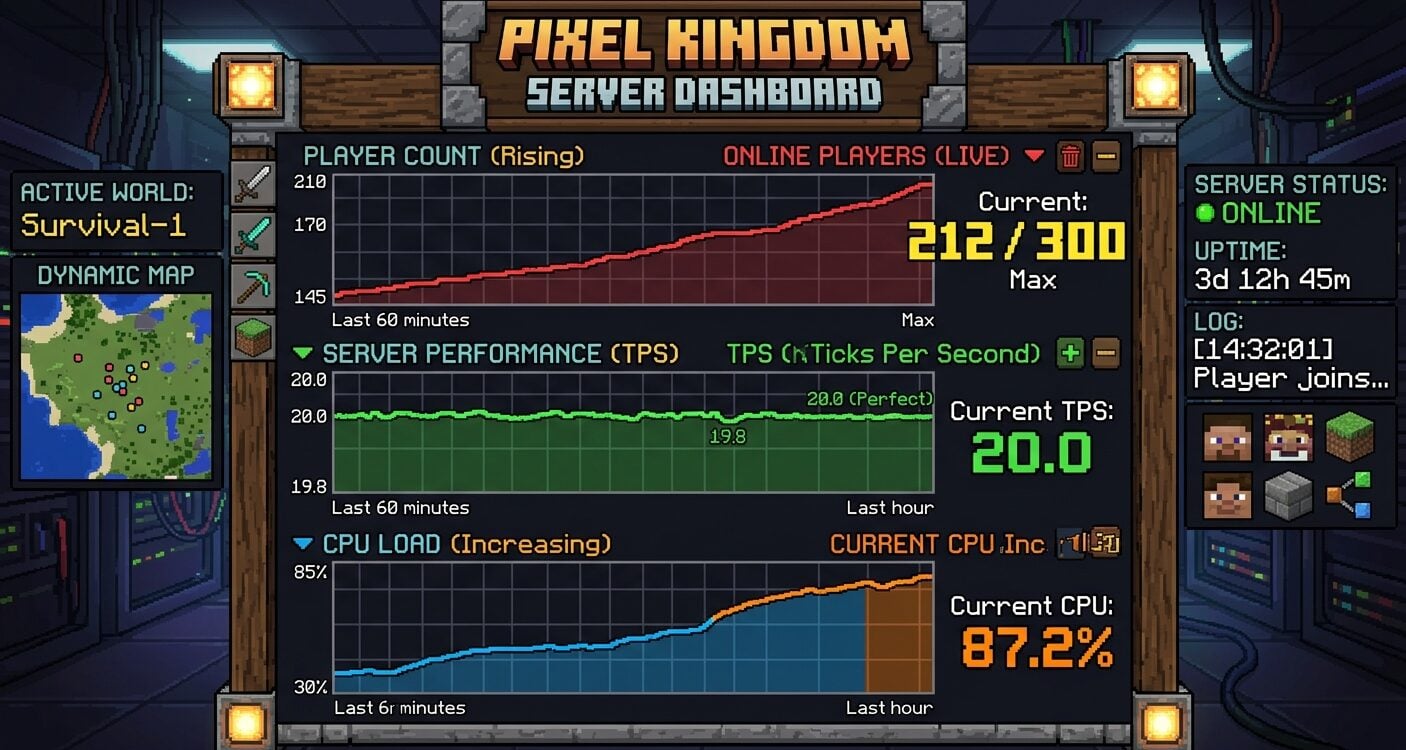
Minecraft can have millions of people playing across the world while an individual server begins struggling with a few dozen. That is not a contradiction.
The global Minecraft player count describes the size of the overall audience, while one private server must process every nearby entity, chunk, farm, plugin and player action within a strict time limit.
So how many players can one Minecraft server actually handle? There is no honest universal number. A lightly modified survival world may serve dozens of players smoothly, while a poorly optimized server with the same hardware can fall behind with fewer than ten.
Capacity depends less on the slot limit displayed in server.properties and more on whether the server can complete each game tick on time.
The useful answer is not a marketing number. It is the highest concurrent player count the server can sustain while maintaining consistent tick performance during its busiest real workload.
The slot limit is not the performance limit
Minecraft includes a max-players setting, but that value only controls how many connections are allowed. Raising it from 20 to 100 does not create the CPU time, memory or network capacity needed for 100 active players. It simply opens more seats.
A server reaches its practical limit when the main simulation can no longer keep up. The signs are familiar: blocks reappear after being mined, mobs freeze and jump forward, food takes too long to eat, players rubber-band and commands respond late. At that point, adding more slots only lets more people share the slowdown.
Tick time gives the clearest answer
Minecraft normally targets 20 ticks per second. That gives the server about 50 milliseconds to complete each tick. If the work consistently takes longer, the server cannot maintain the intended pace and the effective tick rate drops.
For Java servers, the PaperMC server documentation is useful because it explains settings such as simulation distance, view distance, entity broadcast range and the maximum player limit. These settings change how much work the server performs for each connected player.
Server owners should monitor milliseconds per tick, often shortened to MSPT, during peak activity. A low average with occasional spikes may be acceptable.
A server that stays close to or above 50 MSPT is already at its practical limit, even if memory usage looks comfortable and the advertised slot count is much higher.
Why player count alone is misleading?
Two groups of 20 players can create completely different workloads. Twenty people standing together at spawn reuse many of the same loaded chunks.
Twenty people exploring in different directions force the server to generate, load and save far more world data. The second group may place several times more pressure on the server without increasing the visible player count.
The largest variables are usually these
- World generation. New terrain is much more demanding than revisiting chunks that already exist.
- Simulation and view distance. Higher distances keep more chunks, mobs and block activity running around every player.
- Entities and redstone. Villagers, animals, item drops, hoppers and large automated farms can consume substantial tick time.
- Plugins and mods. One inefficient task that runs every tick can become a larger bottleneck than the base game.
- Player distribution. A spread-out community loads more independent areas than a group playing near the same base.
- Server software. Vanilla, Paper, Purpur, Fabric, Forge and other platforms have different performance behavior and compatibility tradeoffs.
CPU performance usually matters before RAM
RAM is easy to advertise because it is a simple number, but extra memory does not automatically increase the player limit.
A server needs enough RAM to hold the active world, software, plugins or mods and operating-system overhead. Once that workload fits without memory pressure, unused RAM does little to shorten a slow tick.
Minecraft Java performance is often limited by the speed of the busiest server thread. A modern processor with strong per-core performance can outperform an older chip with more total cores.
Consistency also matters. Shared hosting that becomes crowded at peak hours can produce worse results than the same plan appears to deliver on an empty morning.
Storage affects startup, saving and chunk access. NVMe storage is helpful, especially for larger worlds, but it cannot compensate for a CPU that is already missing its tick deadlines.
A realistic capacity range
Exact capacity must be tested, but the following ranges are useful starting expectations rather than guarantees.
- 2 to 10 players A small vanilla or lightly modified world is usually straightforward on modern hardware when players stay reasonably close and avoid extreme farms.
- 10 to 30 players CPU performance, world generation and plugin quality begin to matter much more. Pre-generating the world and reviewing timings can produce a noticeable improvement.
- 30 to 75 players The server needs deliberate optimization, strong single-core performance and active monitoring. Unrestricted exploration, villagers and automation can quickly change the result.
- 75 players and above Large communities usually need specialized configuration, strict gameplay limits or multiple backend servers connected through a proxy. A single survival world is unlikely to scale linearly just by adding RAM.
These ranges assume an active server, not players idling in an empty lobby. The meaningful test includes exploration, farms, combat, plugins and the other behavior the community will create after launch.
How to test the real player limit?
Do not wait for a public launch to discover the limit. Establish a baseline, increase activity gradually and record what changes.
- Measure TPS and MSPT with the server empty so background tasks and plugins can be identified.
- Test with several players exploring, loading chunks and using the features that define the server.
- Review a profiler or timings report instead of assuming the problem is insufficient RAM.
- Pre-generate the playable world if exploration creates the largest spikes.
- Reduce simulation distance before cutting view distance aggressively, then test whether gameplay still feels right.
- Remove or reconfigure the heaviest plugins, farms and entity concentrations one at a time.
- Repeat the test during the hours when the underlying machine and network are busiest.
Location affects how the capacity feels
A server can maintain 20 TPS and still feel delayed to distant players. Tick performance measures simulation speed, while network latency measures how long information takes to travel between the player and server. Both matter, but they require different fixes.
Choose a location near the largest share of the community and test it from the regions where players actually live. A managed provider can also simplify backups, location changes and hardware upgrades.
For example, Minecraft server hosting from Gravel Host is available across multiple global locations, but server owners should still test their real workload instead of treating any advertised player estimate as a guarantee.
The practical answer
A Minecraft server can handle as many concurrent players as it can simulate without regularly exceeding its tick-time budget.
For one community, that may be 12 players. For another, it may be 60 or more. The number changes with the hardware, software, settings, world and behavior of the players.
Start with a realistic slot limit, monitor MSPT during peak activity and increase capacity only after the server proves it has headroom. That method is less exciting than an unlimited-slots promise, but it is the only answer that reflects how Minecraft servers actually run.
Author
Ethan Architetto is the founder of Gravel Host, a game server hosting company based in Tampa, Florida. He works with Minecraft communities running everything from small private worlds to larger public servers.
